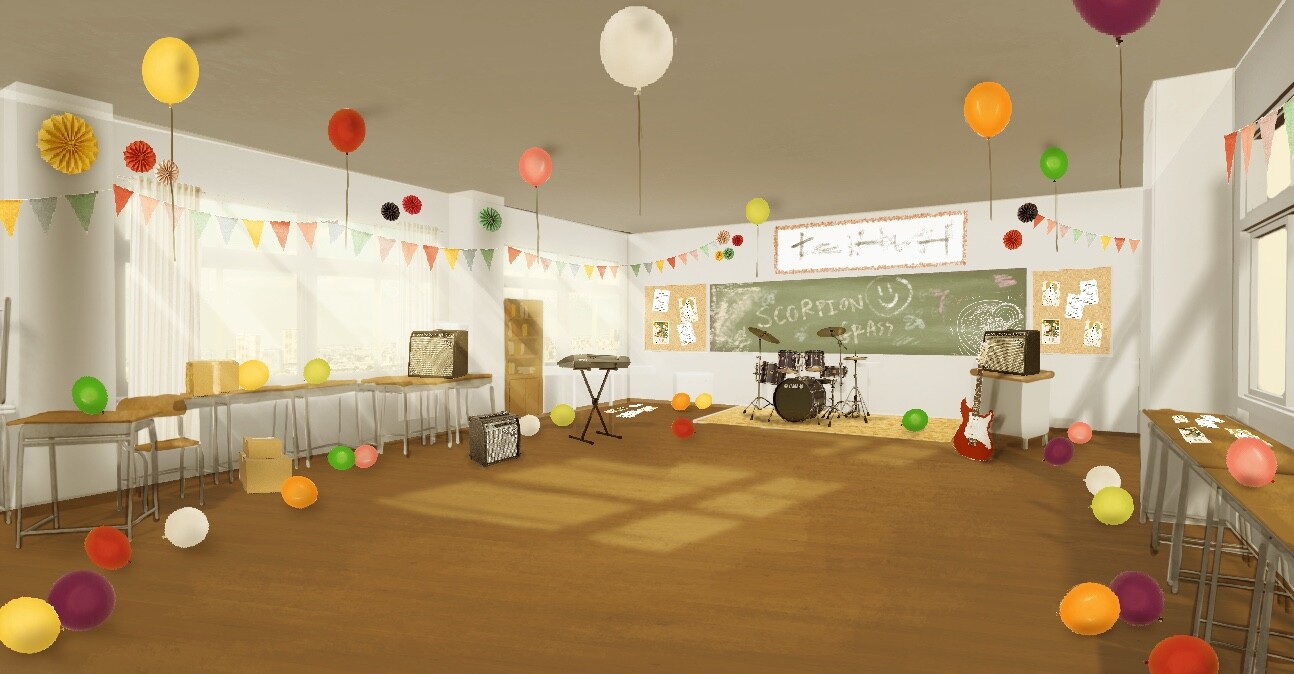
This project is created from a concept that was developed from my first environment in Unreal Engine back in 2020. For this project, my aim is to push the realism of the environment as much as I can within the span of 10 weeks. My original concept is a Music Club room in a Japanese high school. However, when it comes to this project, I wanted to push it more to fit with my desired aesthetic. I was looking into Cultural Festival, which also known as Bunkasai (文化祭). It is an annual open day held around October and November in schools and universities in Japan.
Pre - Production
Reference
Before I began, I was gathering as many references as possible. I used PureRef to contain all the images as it is very easy to access and carry around. When I was gathering the references, I was also looking for the dimensions of each object in order to make each model as realistic as possible. I continue to add more images as the project progresses. This is what I have in the end.

Concept
In the beginning stage, I made a super quick concept art to help visualize my goal. I mainly used photo bash with a screenshot of a blockout in Unreal Engine to get the perspective and proportion right.
Production
Building The Scene
I started off with a block out in Autodesk Maya. This is to ensure the dimension of the room in comparison with actual humans and some other objects. Then I cut the block out into smaller pieces for further modular assets development. Once I got the first version of the architectural modular assets, I started to place them into Unreal Engine to give myself a better visualization of the scene.

As I went along, I wanted the main focus of the classroom to be in the front area where I placed all the musical instruments.


Lighting
For this project, I wanted to nail the lighting as much as I possibly could. I was looking at different lighting references to get a better understanding of how light works in that time of the day and how other artist does it. Then I tried to create the light that would fit my desired aesthetic the most based on the knowledge that I gained.

Light Source
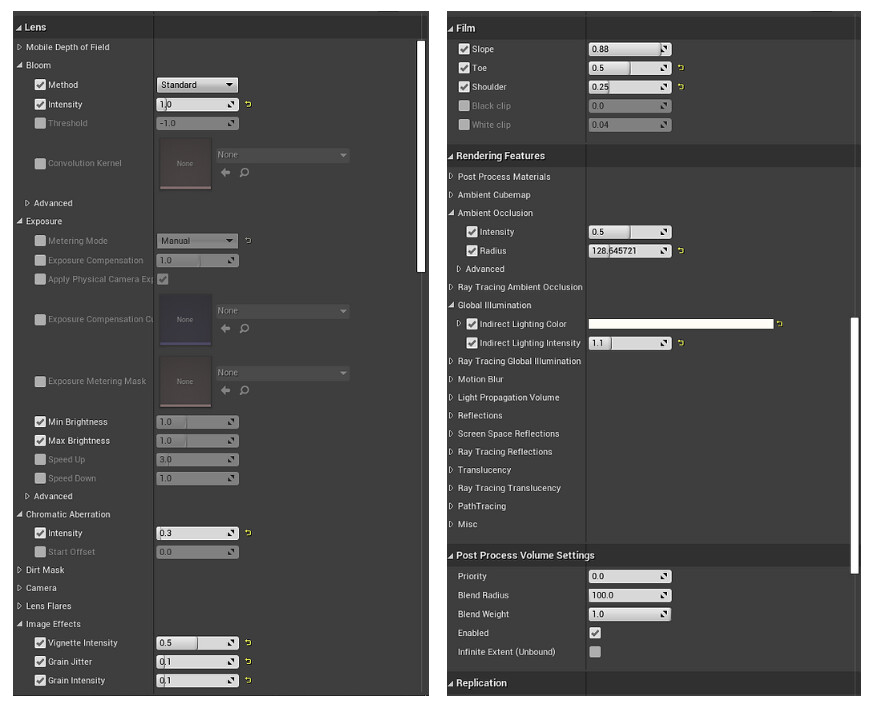
I used a combination of HDRI and point lights to light this scene.


LUT
I also used LUT to make the scene brighter and manually create global illumination. LUT gives me the ability to fix the light using Photoshop.

Baking
Throughout the process, I keep baking my lighting so I can always see how it affects the new asset that I put into the scene. I usually bake it at medium so it doesn't take too much of my working time.
Texturing
Substance Painter
Substance Painter is used to texture most of my assets. Throughout this project, I got a lot faster as I became more experienced with the program, especially with baking. It saves me a lot of time to texture each of my assets as I can use smart masks to help me quickly generate micro details on the asset itself. For some assets, such as a hero or larger assets, I will also do some manual hand painting on the details too.

Substance Sampler

I used Substance Sampler to quickly generate the floor and concrete texture of the classroom. It is a quick and easy process that gives me high-quality tileable textures that I can further use in both Substance Painter and Designer.

Substance Designer
For this project, I used it for textures such as the acoustic roof, textured hard plastic, and more customized details in the existing texture. For example, I used it to create an older version to the floor texture that I created in Substance Sampler. I also used it to create some alpha maps that I further used in Painter.